I screenshot. A Jakarta user said it — and it became the product brief.
An Android app for Indonesian mobile users to capture, organize, and OCR-search their screenshots — built from a market we'd never touched, validated through 1,000+ survey responses, 8 in-field interviews, and a landing page test that unlocked executive investment.
project
Firefox ScreenshotGo
role
PM & Design Lead
year
JAN 2018 – APR 2019
team
4, cross-functional
survey responses
0+
across 5 Jakpat rounds in Indonesia
landing page conversion
0%
validating market interest before investment
Play Store rating
0.0/ 5
after launch in the Indonesian market
01
Context
How do you design for a market you've never lived in?
Indonesia was a market we'd never touched
In early 2018, Indonesia was a brand-new market for Mozilla Taipei. No prior product, no on-the-ground research, no relationships. Before naming a product, the team had to answer a simpler question: what do these users actually need?
The starting point wasn't a feature — it was a behavior almost nobody on the team had taken seriously. Indonesian mobile users seemed to lean on screenshots in ways we didn't fully understand. The research started there.
02
Research
What does a thousand survey responses reveal about screenshot behavior?
1,000 survey responses, one universal pattern
We used Jakpat, Indonesia's mobile survey platform, to run five rounds of research — ~200 respondents per round, around 1,000 in total. To validate user needs without engineering, I embedded storyboards directly in the surveys: hypothetical scenarios users could react to, no prototypes required.
Three hypotheses we tested
Universal wish list: Screenshots collect products across multiple apps and platforms
Organized wish list: Users actively sort and re-find their screenshots
Social wish list: Screenshots get shared, turning shopping into social behavior
A cross-functional workshop with PM, marketing, engineering, BD and UX used a risk-priority matrix to pick the top hypotheses to pursue. But the bigger finding was structural: Indonesians used screenshots for almost everything — faster than apps (no account, offline), more reliable than bookmarks on slow networks, and accumulating in galleries with no way to find them again.
Screenshots over apps. The behavior wasn't a workaround — it was a primary interface.
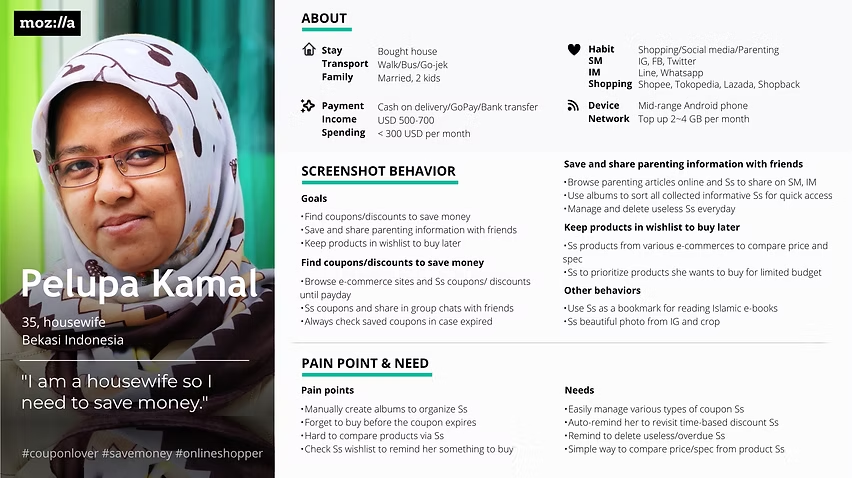
Persona 1 — synthesized from the 1,000+ survey responses
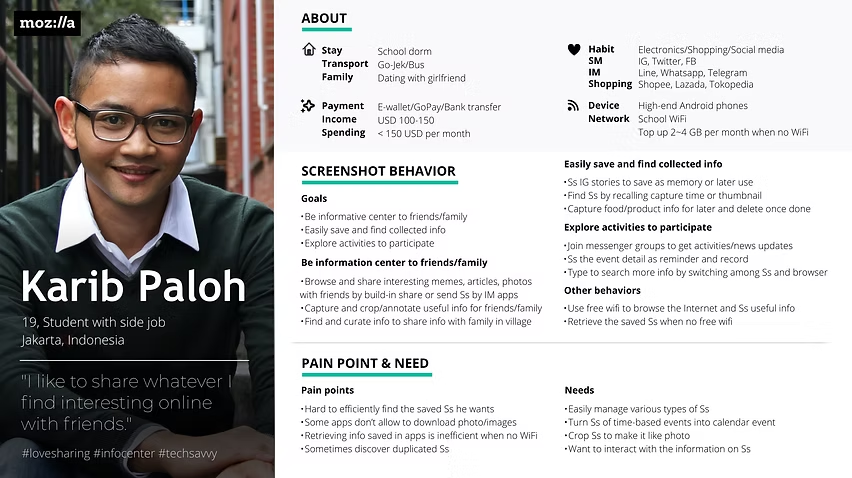
Persona 2 — synthesized from the 1,000+ survey responses
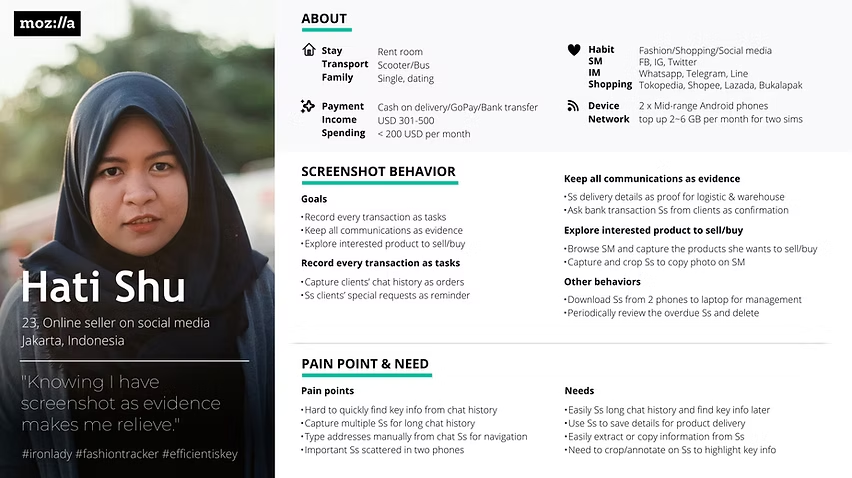
Persona 3 — synthesized from the 1,000+ survey responses
03
Validate
How do you turn user research into executive investment?
Field tests, then a landing page that unlocked the budget
Two layers of validation followed: in-field testing for user need, a landing page test for market size.
Field testing in Indonesia
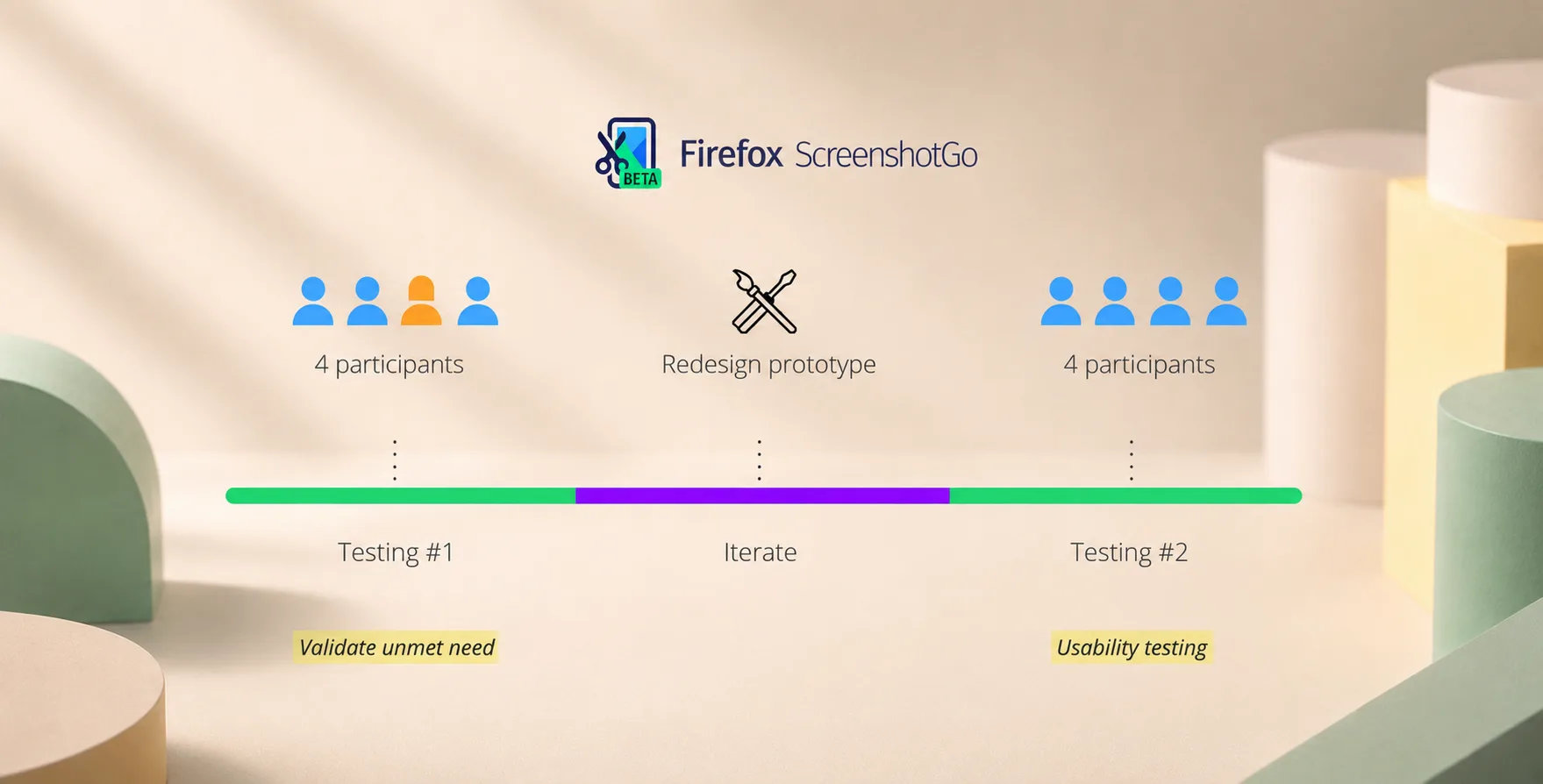
Ricky (User researcher) and I flew to Indonesia to interview eight participants. The first four sessions validated unmet needs and shaped iteration — we updated the Framer prototype within a day. The next four ran usability testing on the iterated design. One offhand line from a Jakarta participant stuck with the whole team, and ended up framing the product brief itself.
"Almost everything I screenshot."
— Jakarta participant, in-field interview
A landing page to unlock investment
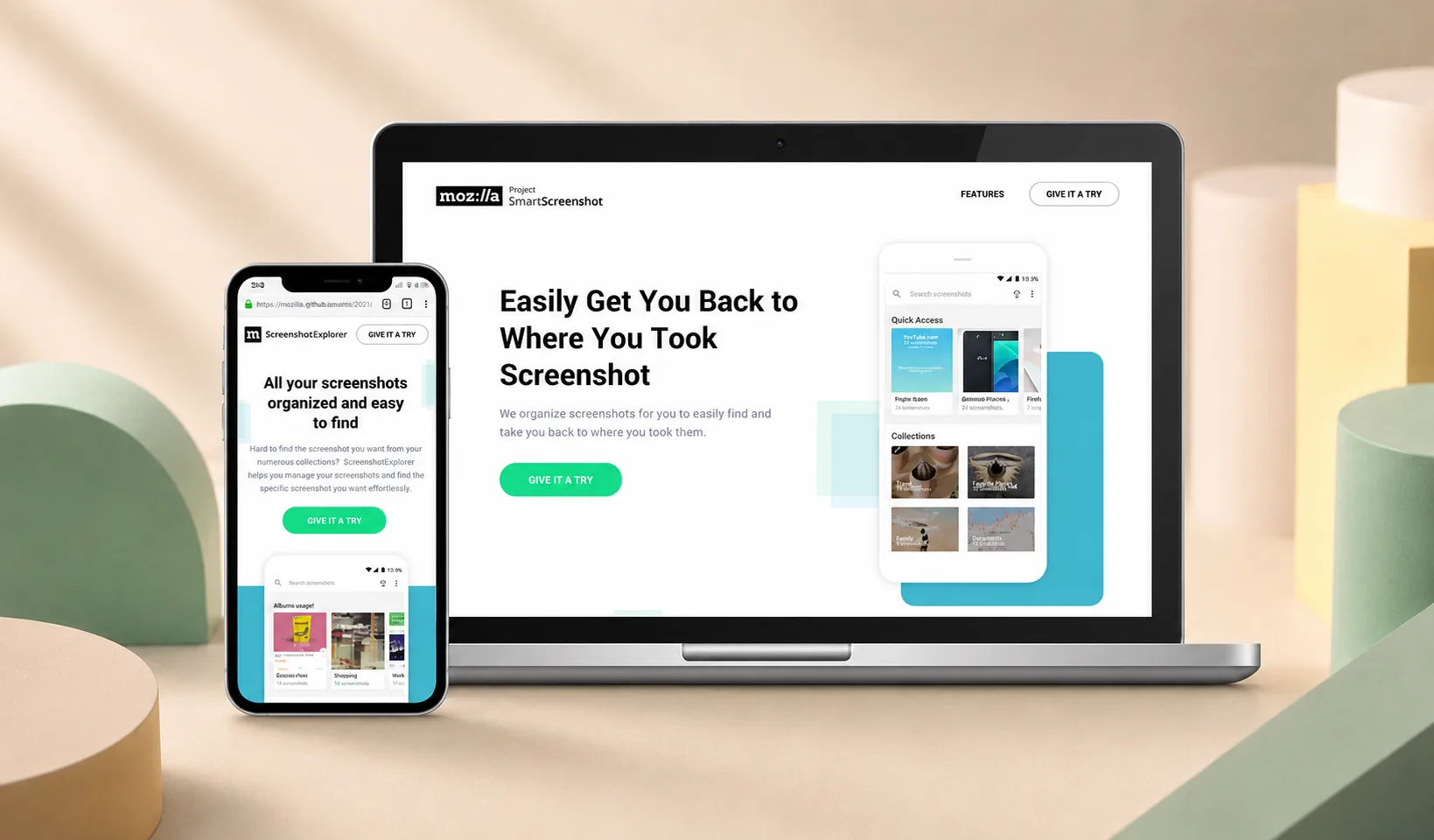
User need was validated, but market size wasn't — and exec investment depended on it. I built a landing page describing the future product, ran paid social on Indonesian channels, and used the Playing to Win framework to argue why Mozilla should invest specifically in this market. The landing page converted at around 20%, well above the threshold the exec team set. The budget moved.
Landing page used to market-size demand before product investment — ~20% conversion
04
Build
How do you make a screenshot worth keeping?
Capture, organize, OCR the rest
Two pain points anchored the design. Galleries overflowed with screenshots that were impossible to find again. And screenshots were static images — they couldn't trigger any digital action. The product had three core moves: capture fast, organize without thinking, and search by content rather than filename.
The three features that mattered most
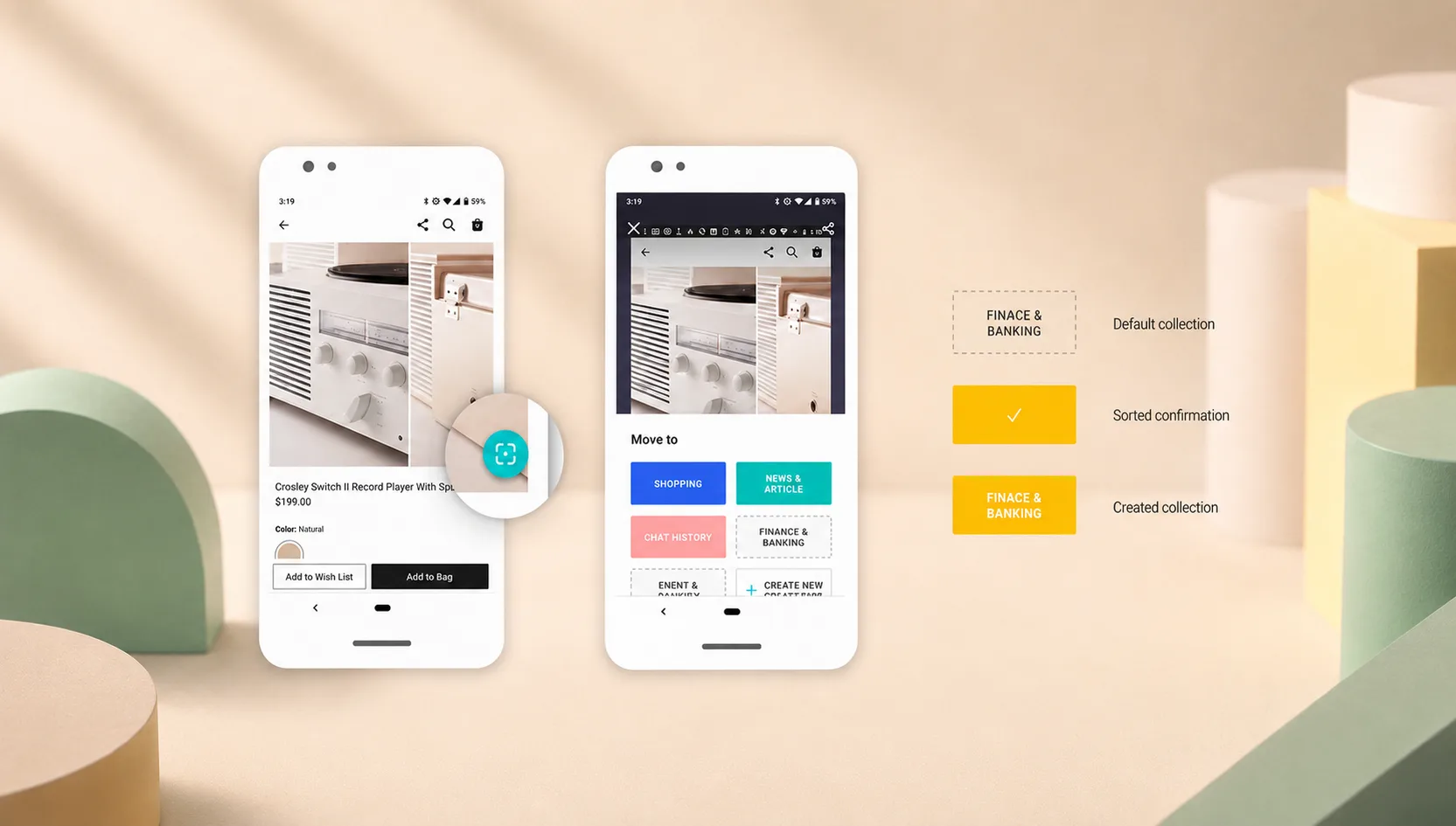
Quick capture & sort: A floating button triggered the sort/share panel immediately. Visual states made it clear which collections held what
Smart collections: Users could group screenshots by topic or source, surfaced through clear visual states rather than buried in folders
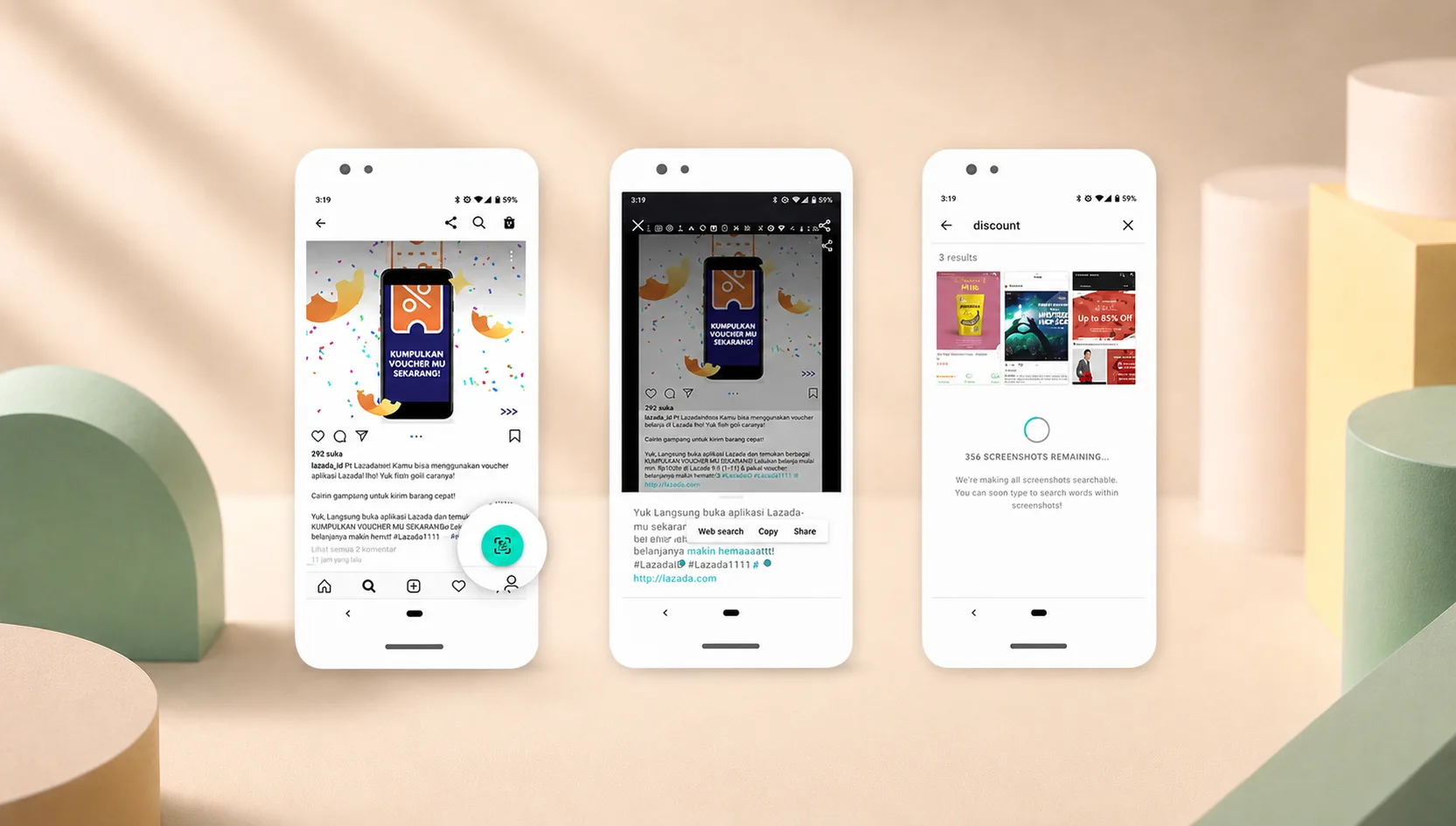
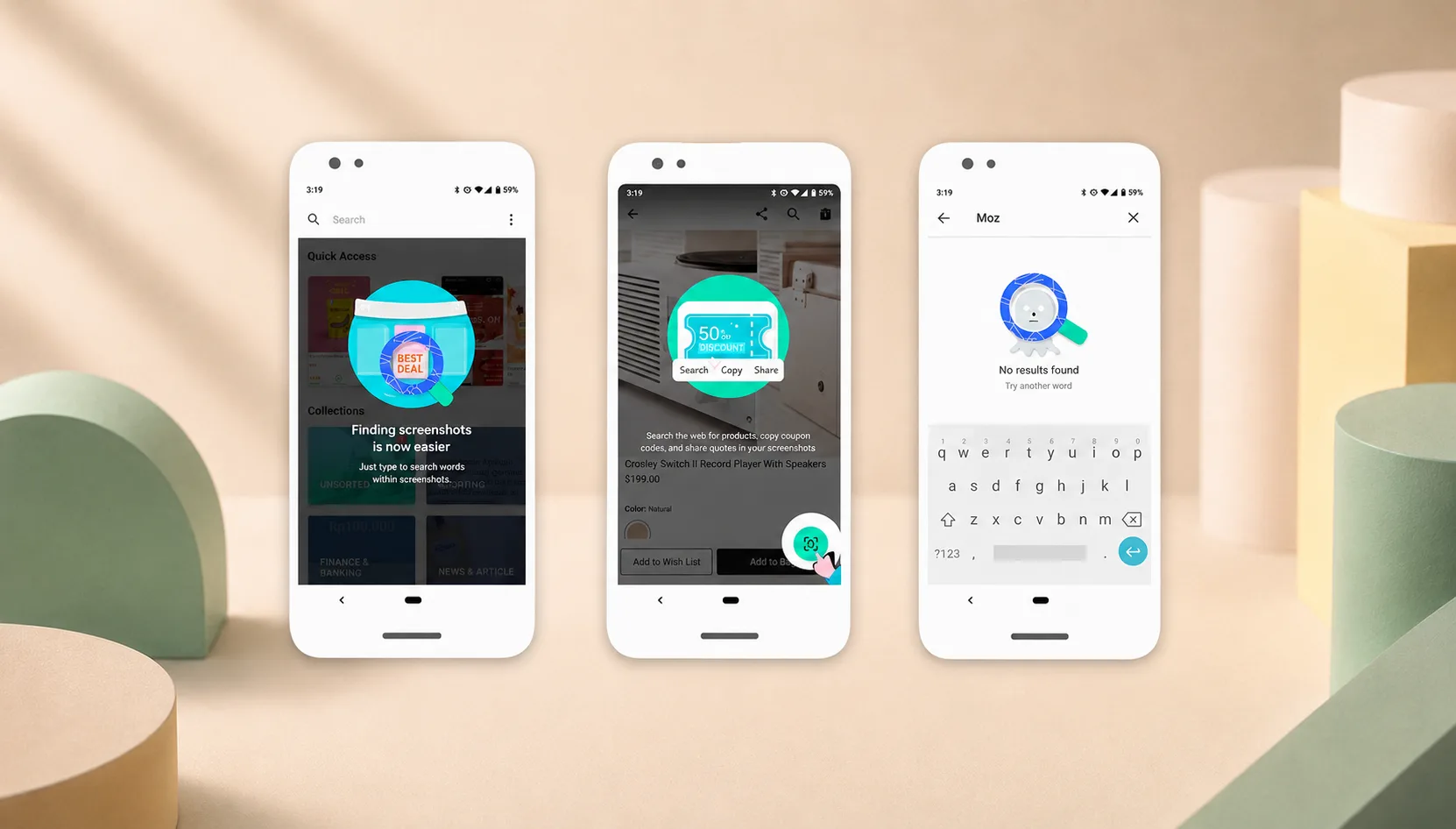
OCR text search: Tight collaboration with engineering brought optical character recognition into the search bar — users typed words they remembered from any screenshot (receipts, addresses, prices) and the image surfaced instantly
When I was uncertain about an interaction, we built a low- or hi-fi prototype, recruited Indonesian users for a fast usability sprint, and iterated. The OCR feature in particular went through several rounds to balance recognition accuracy against UI clarity — below 70% accuracy the search felt unreliable; above 85% it felt like magic.
Quick capture & sort — floating button triggers organize/share without leaving the gallery
Smart collections — visual states make it obvious which screenshots belong where
OCR text search — type any word from any screenshot, surface the image instantly
05
Impact
Did the work actually serve Indonesian users?
4.6 stars on Google Play
After launch, ScreenshotGo reached an average rating of 4.6 stars on Google Play across the Indonesian market. Download count is unavailable — Mozilla later sunset its Lite product line and the app was delisted, taking the install data with it. What survived was the user feedback itself.
"Wow, it's really good, right away, save it to the gallery, not many ads, it's not complicated thanks."
— A Google User, Play Store review
"This app changed my life for the better. The answer I'd been looking. Finally I can screenshot with only a tap, thanks."
— Leonardo Tanuwijaya, Play Store review
"What!!! I have Never Imagined an app like this... simple wow and used daily 👍"
— Shangaranaara Ramakrishana, Play Store review
06
Reflection
What survives when the product itself doesn't?
When the methods outlast the product
Storyboards in surveys made eng-free validation possible
The trick that mattered most wasn't the OCR or the floating button — it was embedding storyboards directly into Jakpat surveys to test concept-level hypotheses without engineering. Turning 200-respondent rounds into directional validation is now a default tool in my toolkit when budget is tight or engineers are unavailable.
Internal selling was harder than external building
User need was provable in weeks. Internal investment took months. The landing page test wasn't decoration — it was the lever that moved the budget. I've built market-sizing experiments into every early-stage project since, for the same reason: shipping a product is the easy half. Convincing the org to invest in it is the other half, and it's where most ideas quietly die.